
Have you heard of Rufus?
Amazon has a new feature on its sales pages which helps customers make purchase decisions by answering questions that are not necessarily found in the product description.
Since I am pretty much still compulsively checking my Amazon sales stats, (Yeah… yeah… I know things slow down after the initial launch.) I decided to check it out after ignoring the tiny icon for weeks.
Rufus is not confined to the book realm. It is available for all products for sale at Amazon.com although you have to scroll to find it depending on your account. I had to scroll pretty far down on the page when using my laptop. There wasn’t a Rufus icon, but the questions generated were the same, depending on the item. (See images below)

The images below are screenshots from my phone. You can see the icon for Rufus at the bottom-right of each image.
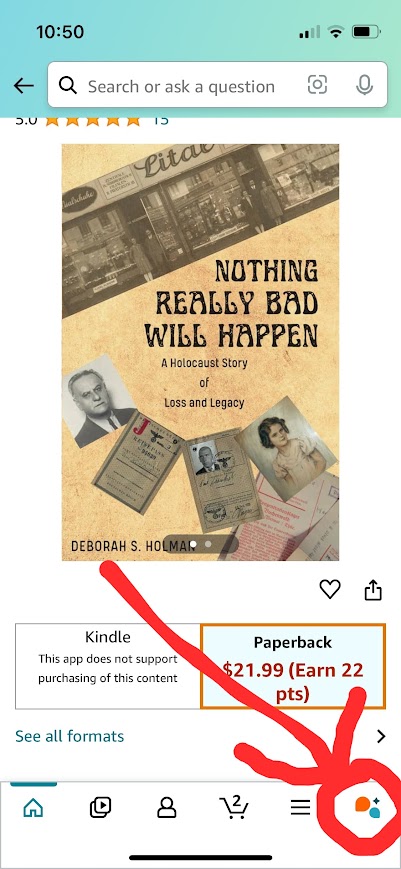

The first step is after clicking on the icon is to choose a question. Or you can write your own, if you have a specific question that’s not offered.
Here’s an example from my Amazon sales page for my book, Nothing Really Bad Will Happen.

Clicking on a question will bring you to the next screen with Rufus’ comments. Or, you can type your own question in the “Ask Rufus a question” box.
Below you see two questions and Rufus’ responses:

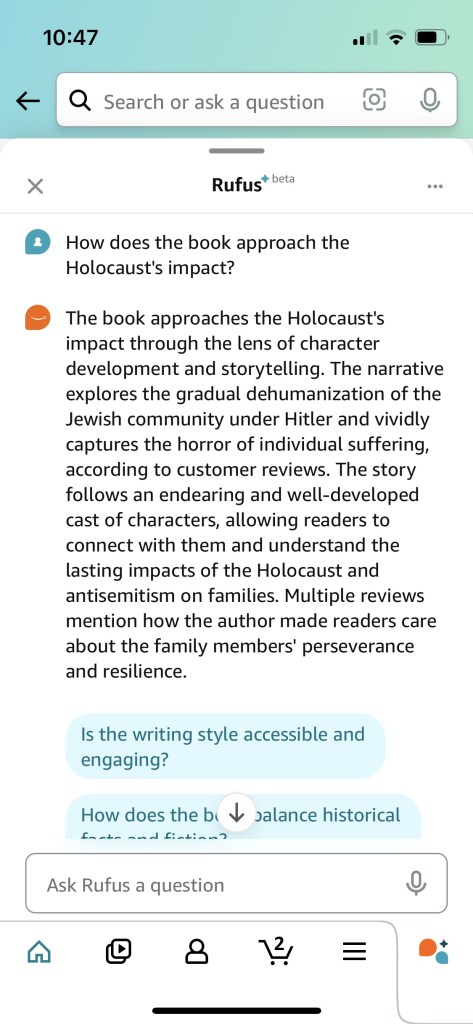
You can see that there is some good information here!
Use Rufus to help you refine your Amazon book descriptions
Now, granted, this won’t be of any help to you in writing your initial book description. But after reading several of Rufus’ comments, it occurred to me I could help me refine my book descriptions. After all, “they” say it’s important to change things like keywords and categories occasionally, so that probably applies to book descriptions, too.
Take a look at the image below, and the highlighted section.
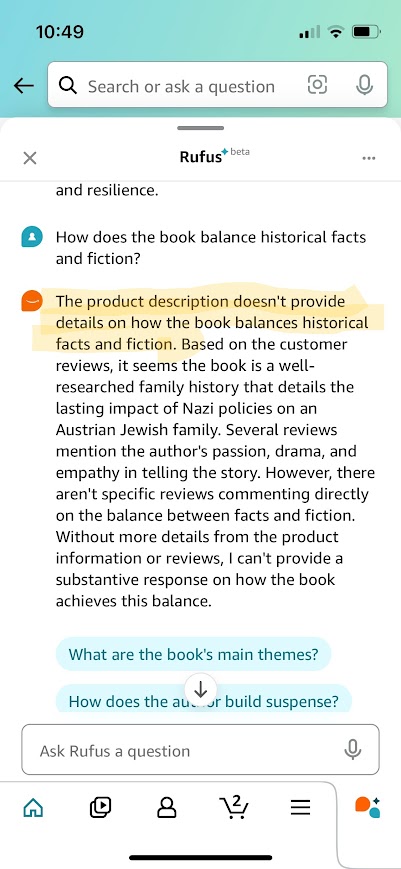
I could add a sentence or two to my book’s description to address this question. Maybe it’s not clear enough that my book is totally based on fact. It doesn’t help that Amazon has no category for Creative Nonfiction. Therefore I am forced to choose between “Fiction” which it really isn’t, or “Nonfiction,” whcih makes the book sound like it might be dry.
I am going to review all of Rufus’ questions and responses. Then, based on that, I will some revisions to my book description. I’ll let you know if I notice any change in book sales!
 deborahsholman.com
Leave a comment